
Church management software
Church Manager
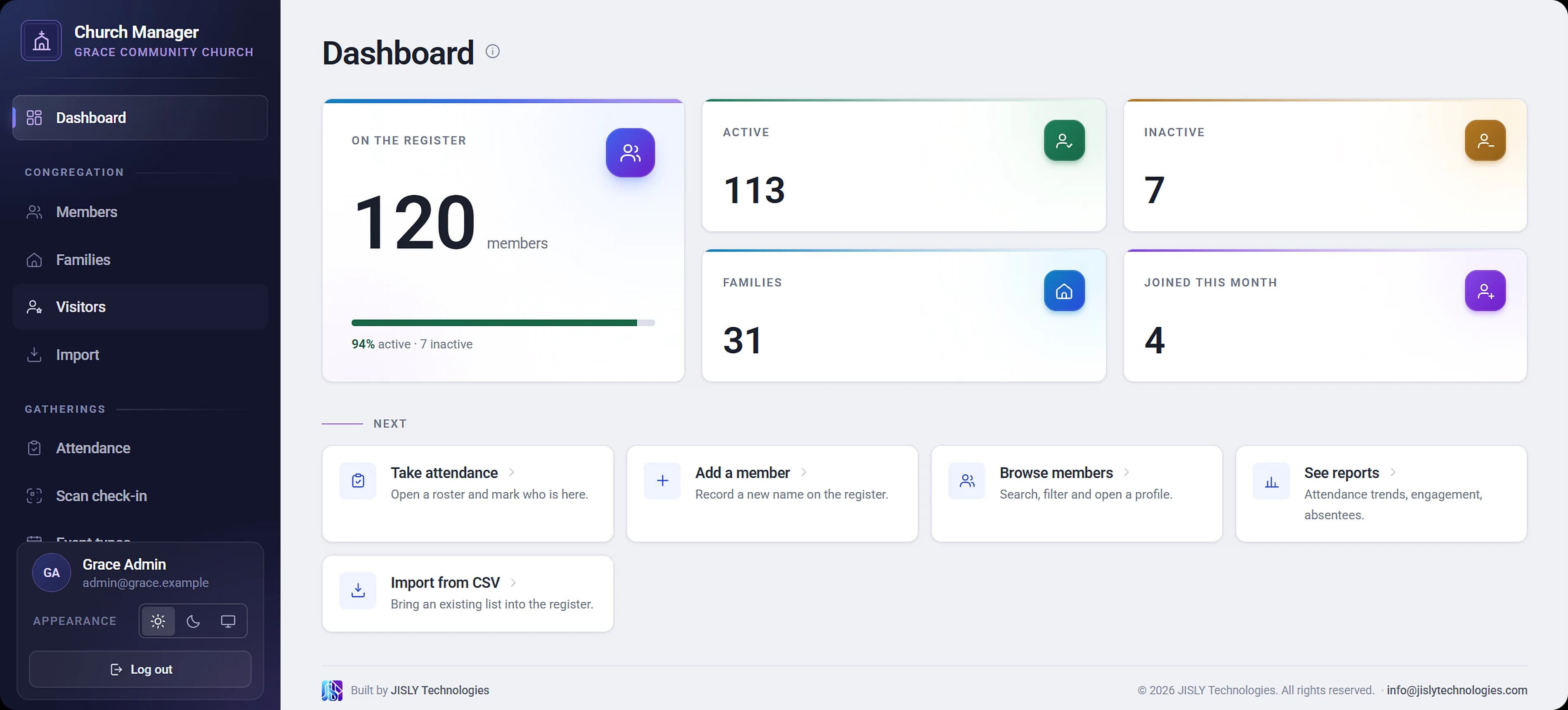
Everything your church keeps track of, in one place
Your member register, attendance, offerings and church equipment in one secure web app. Take attendance in seconds with QR cards at the door, see who hasn't been in for a while, and print every giver's statement at year end.
- Works in any browser, on a phone at the door or a laptop in the office
- Each church's data is kept strictly separate
- Sign in with Google, with no extra passwords for your staff
Hosted on

Features
One place for the whole church
Pick an area to jump to it.
People
A member register that stays quick with thousands of names, and a warm welcome for everyone who walks in for the first time.
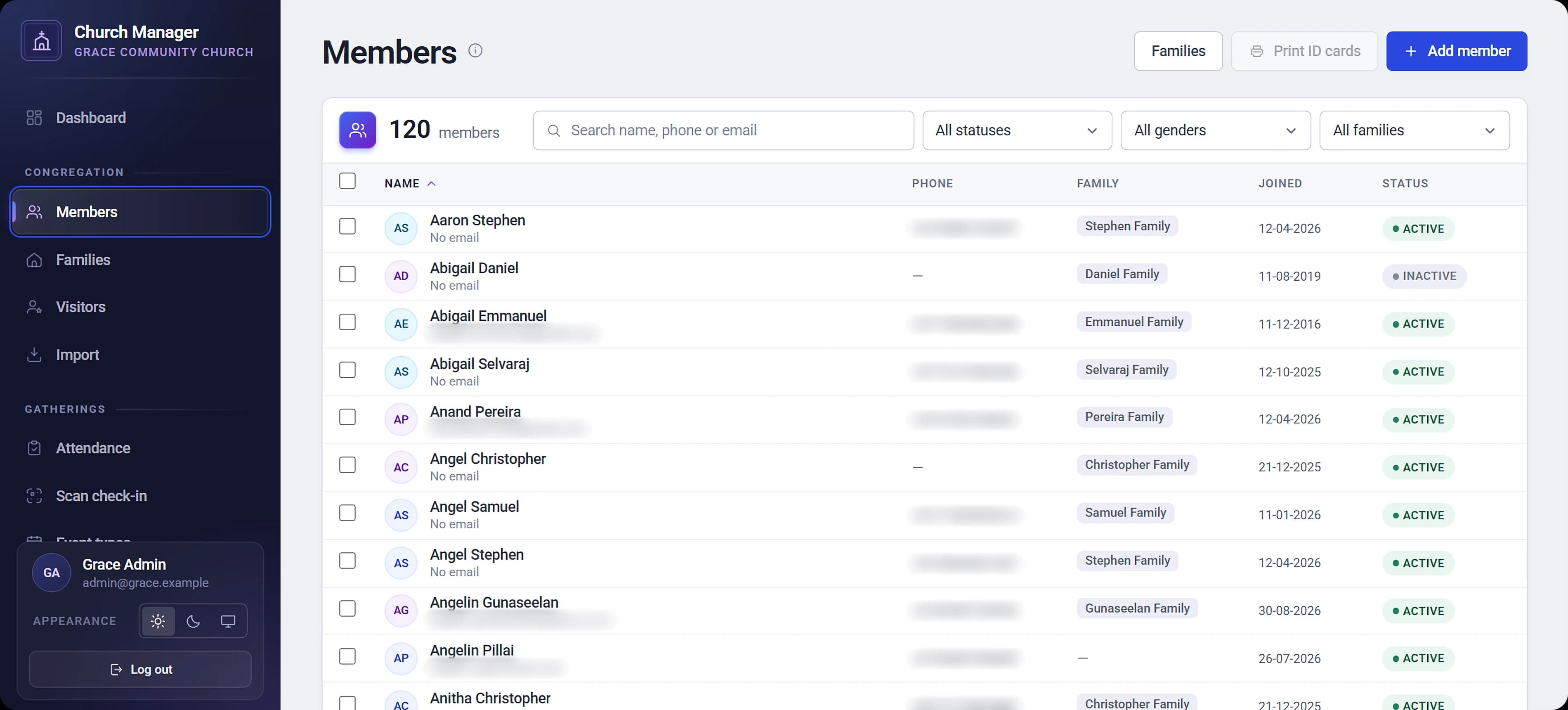
The member register
Complete member profiles
Name, photo, gender, date of birth, wedding anniversary, phone, email, address, join date, baptism date, and active or inactive status.
Families and households
Group members into families, and add members straight from a family's page.
Fast, searchable register
Sort, search and filter by name, status or family. It keeps loading as you scroll, so it stays quick with thousands of members.
Bulk import from CSV
Bring an existing spreadsheet across when your church is onboarded.
Member profile with history
Every member's attendance history on one page.
QR codes and ID cards
A permanent QR code for every member, generated automatically, and printable ID cards.
Visitors and guests
Record walk-ins, chief guests and special guests at the door, keep their details and follow-up notes, and welcome a visitor onto the register in one step.
Attendance
Volunteers scan cards or tap names, marks save as they go, and the roster flags anyone who has been missing.
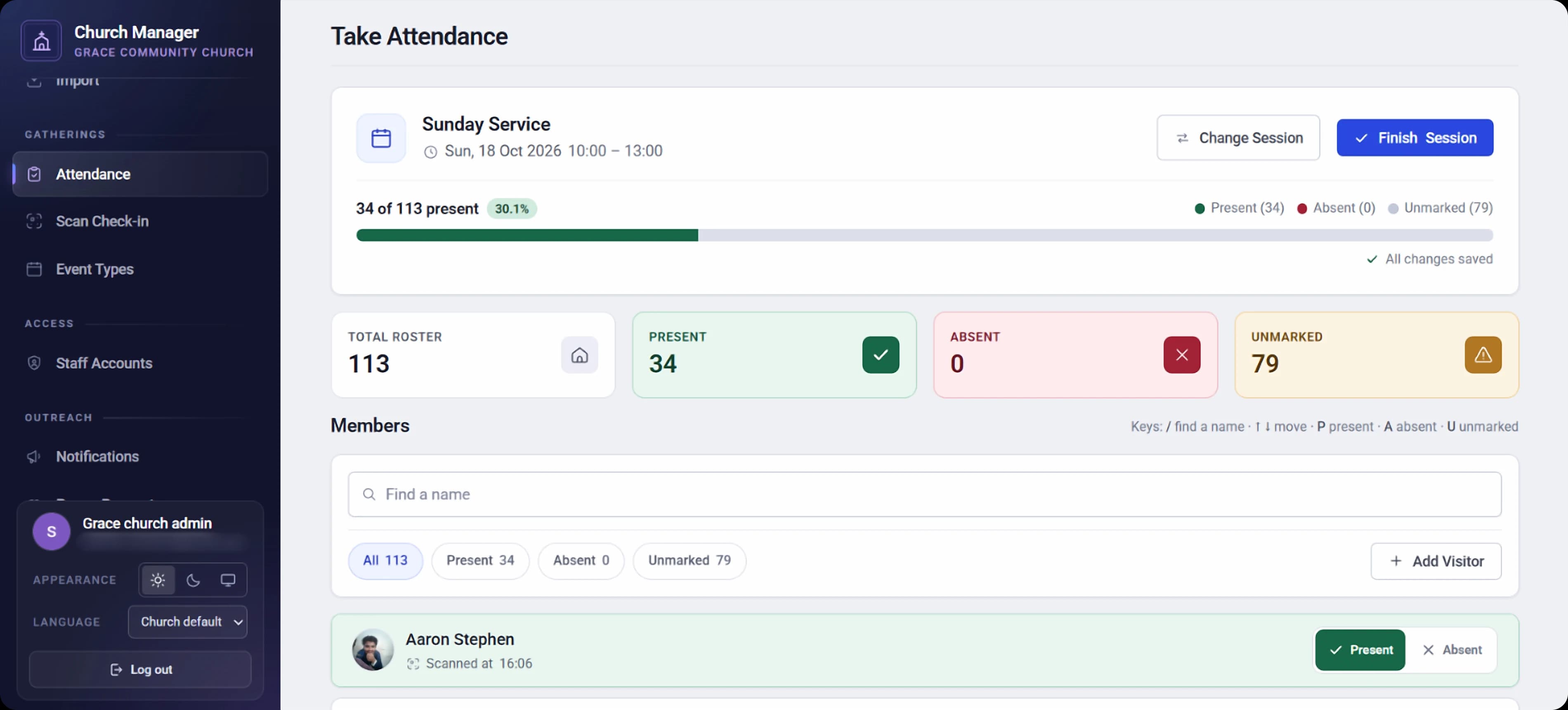
Taking attendance
Services and events your way
Sunday service, midweek prayer, fasting prayer, conferences. Weekly, monthly by date or by weekday such as "first Friday", or one-off, with optional start and end times.
QR check-in at the door
A volunteer scans a member's card with a phone or tablet camera, confirms the name, and the arrival time is recorded. The scanner stays open, so the queue keeps moving.
A roster built for speed
Pick the service and date and the roster opens straight away, with your last three sessions one tap away. Tap anywhere on a row to mark it.
Present, absent or not yet marked
Three clear states, so an empty box never leaves you guessing.
Bulk marking with undo
Mark everyone present, or a whole family, in one tap, and undo it if you slip.
Search and filter
Find a name as you type, accents ignored, and press Enter to mark them, or filter to present, absent or unmarked.
Follow-up prompts
See when each person last attended, with a flag on anyone who has missed their last few services.
Saves as you go
Marks save in the background and retry if the connection drops. The roster updates live as QR scans come in.
Finish in one step
Close the session, optionally marking everyone left unmarked as absent.
Mistake-proof
Only events scheduled for that day can be marked, and scanning the same card twice never double-counts or moves the recorded arrival time.
Finance
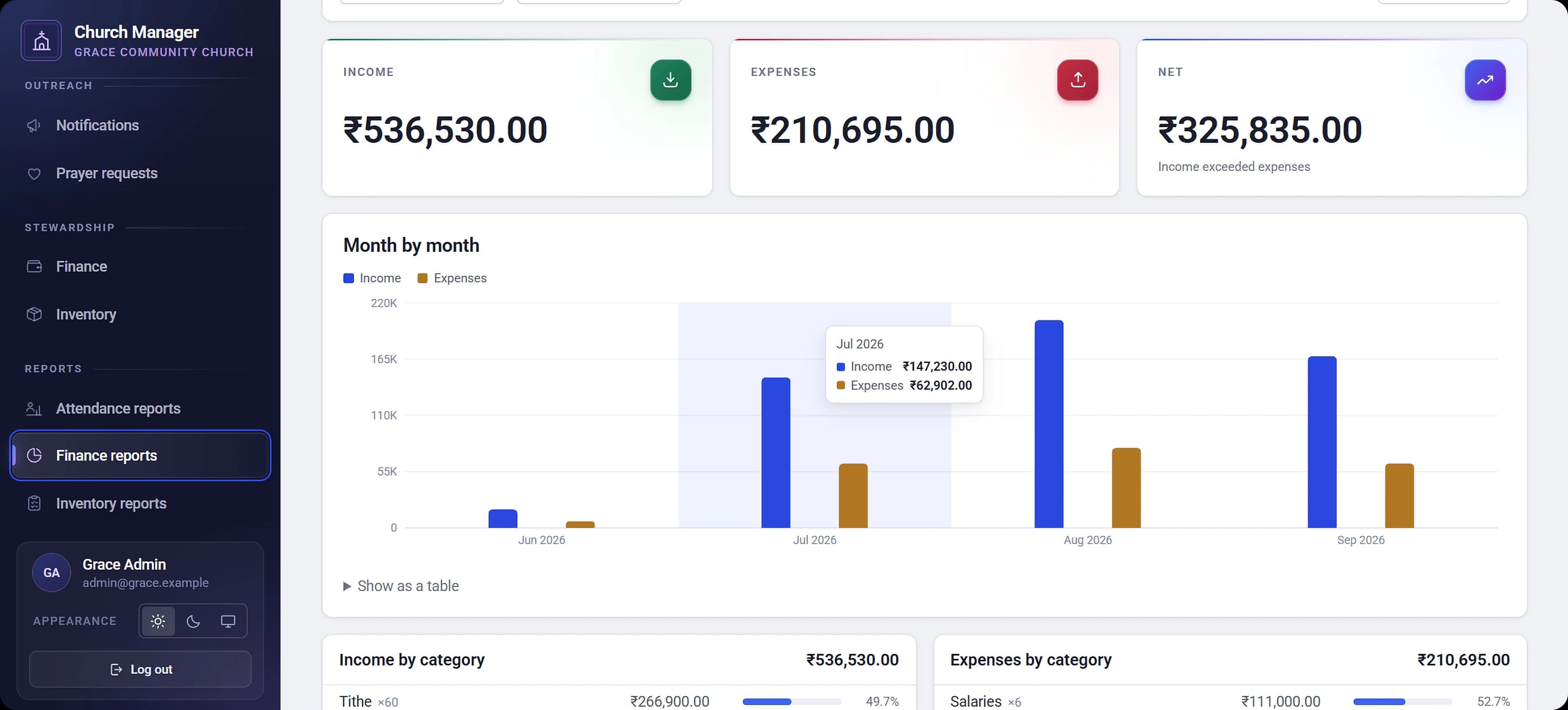
Books the treasurer can stand behind, in your own currency and financial year. Included with Church Manager, and for church admins only.
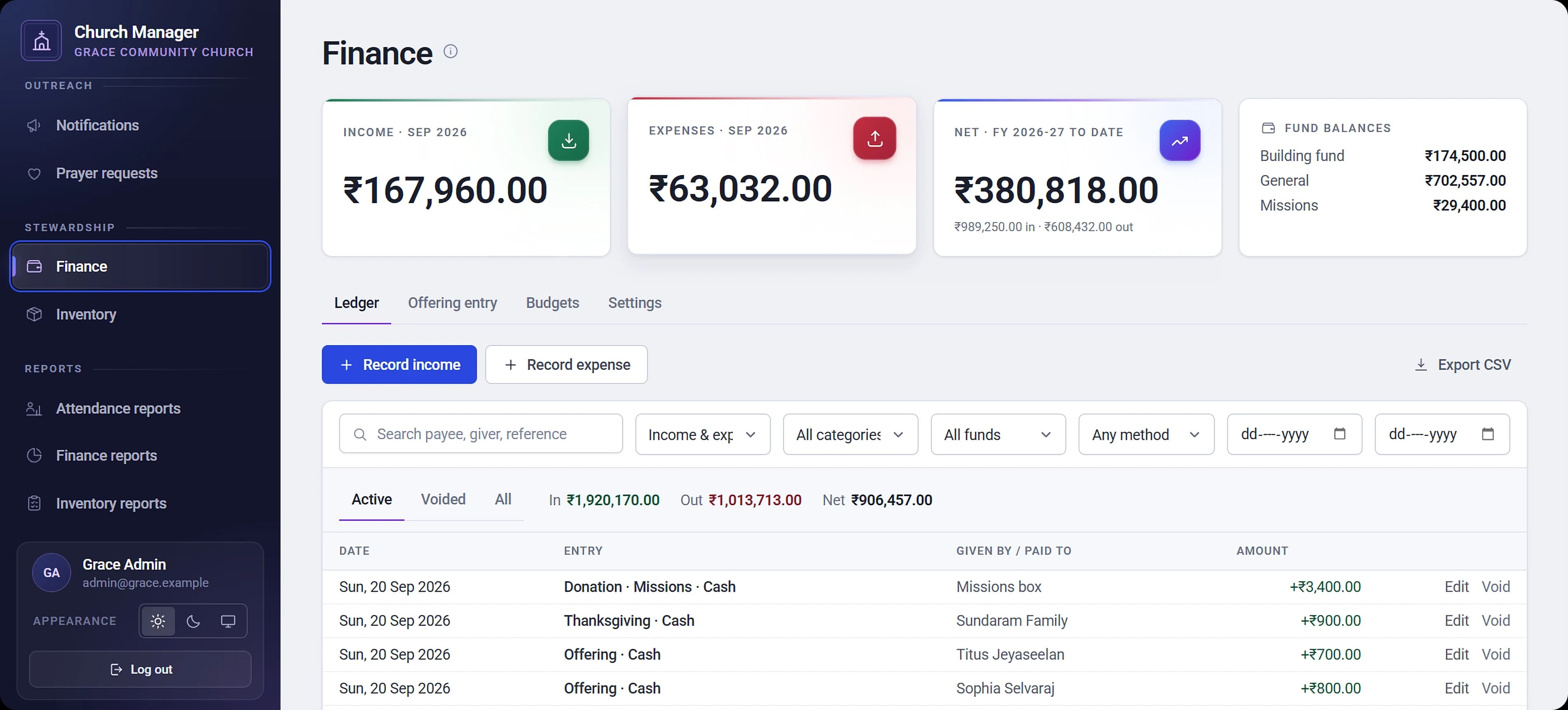
Income and expense ledger
Record every entry by category and fund, with payment method (cash, cheque, bank transfer, UPI, card or online) and a reference number.
Sunday offering count
Enter the whole collection in one batch with a running total. It saves all together or not at all.
Receipts attached
Photograph or scan a receipt or invoice (JPEG, PNG, WebP or PDF) and keep it with the entry.
Funds and categories
A ready-made chart of accounts to start from, which you can extend. Categories and funds in use are archived, not deleted, so history stays intact.
Annual budgets
A budget per category, set against your church's own financial year.
Giving statements
Print a year-end giving statement for one member, or for every giver in one run.
Corrections you can audit
Mistakes are voided with a reason, never deleted, so the books always show what happened.
Your currency, your financial year
Each church sets its own currency and the month its financial year starts (April by default).
Inventory
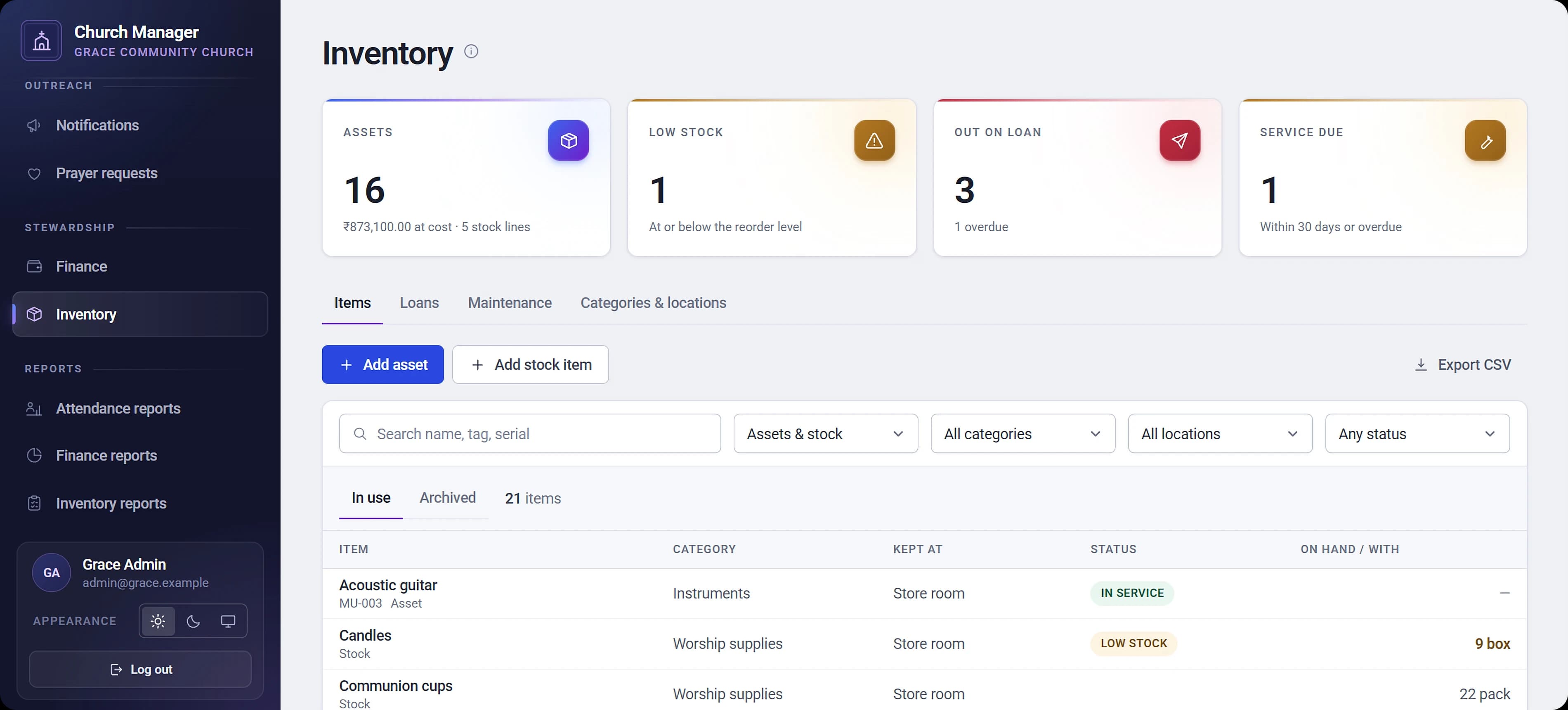
Know what the church owns, where it is kept, who has borrowed it and when it is due for service. Included, and for church admins only.
Asset register
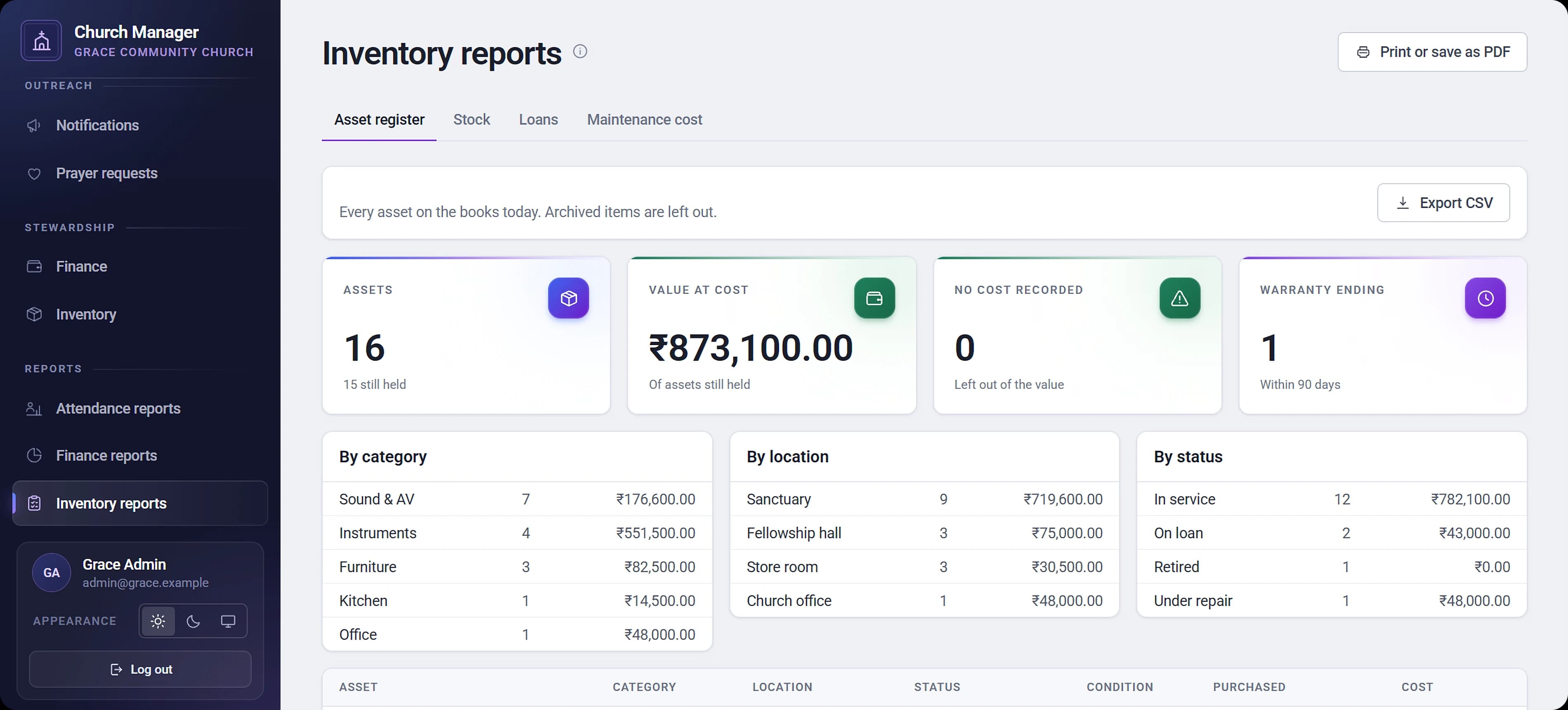
Sound desks, keyboards, projectors and furniture, each tracked with status, condition, cost and warranty.
Consumable stock
Candles, communion cups, paper. Count stock in and out, with low-stock alerts, and the count can never go negative.
Lending
Lend equipment to members or ministries with a due date, see what's overdue, and never lend the same item out twice.
Maintenance log
Record repairs and servicing, and optionally post the cost straight to Finance as an expense that stays in step when you edit the record.
Categories and locations
Organise everything the church owns, from the sanctuary to the store room.
Reports
Every report exports to CSV and prints or saves as PDF, so pastors know who to call and the treasurer knows where the money went.
Attendance
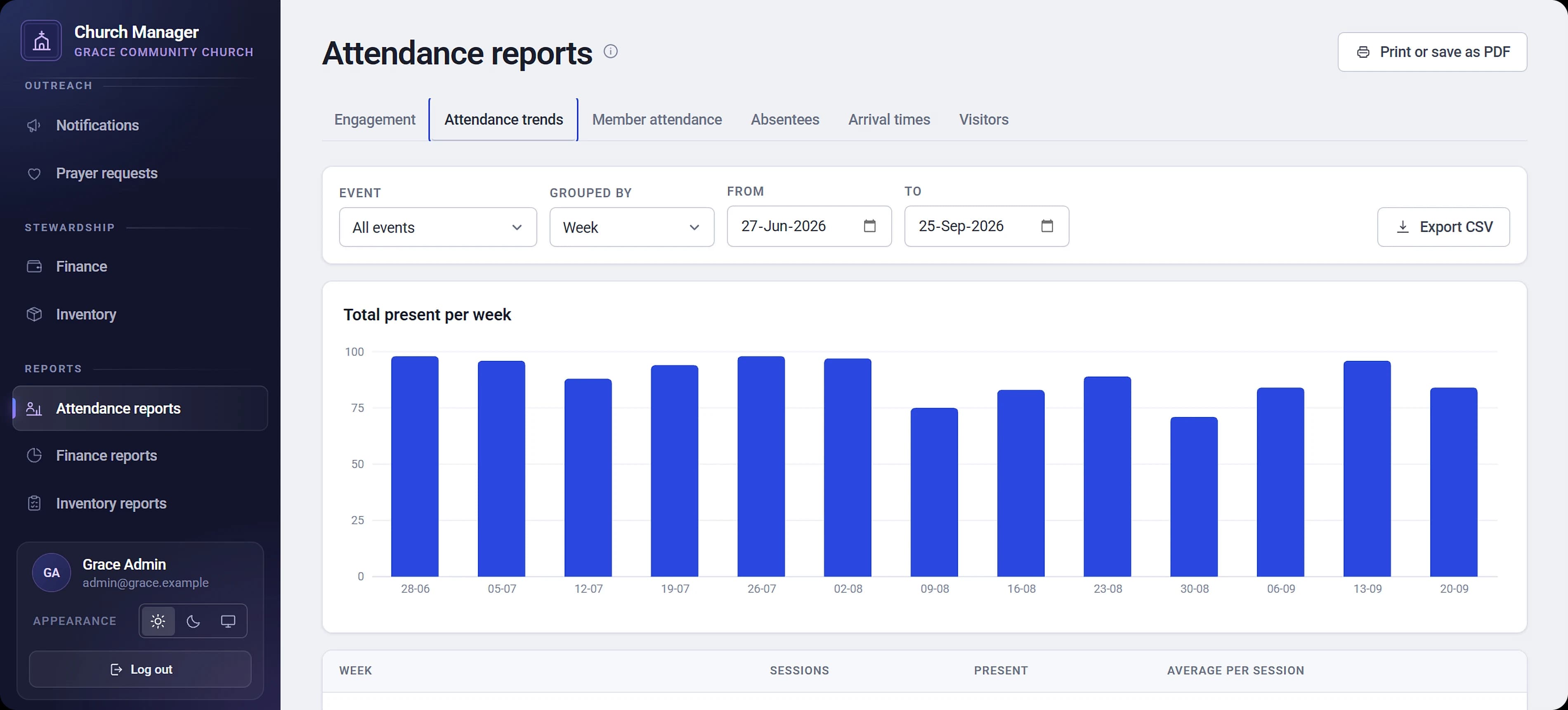
Attendance trends
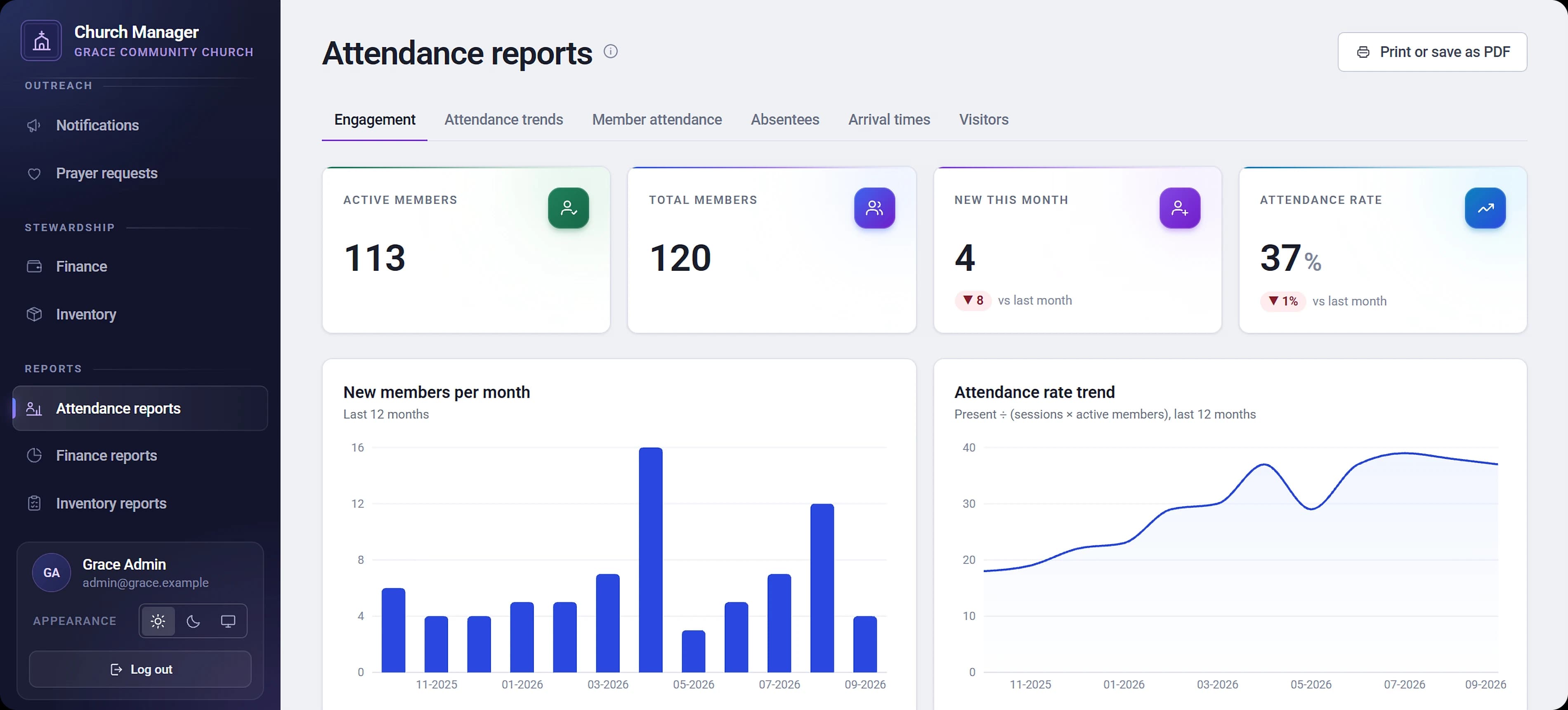
By service and date range, as a chart and a table.
Member-wise attendance
Each member's attendance percentage over any period.
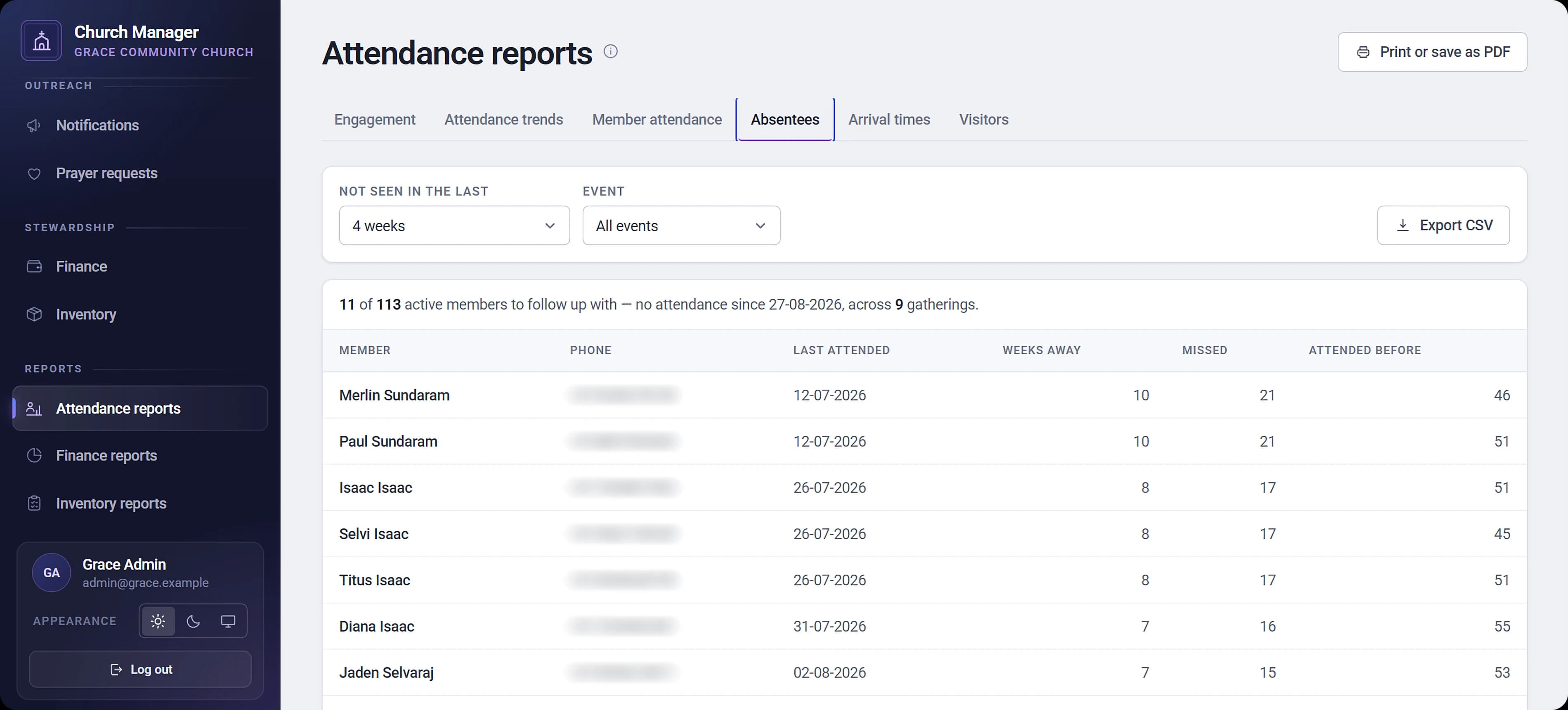
Absentee tracking
Who hasn't attended in the last few weeks, so pastors know who to call.
Arrival times
When people actually arrive, in half-hour bands.
Visitors
How many visitors came, and how many went on to become members.
Engagement dashboard
New-member growth, the attendance-rate trend, and this period against the last.
Finance
Income and expense statement
By category, by month and by payment method.
Fund balances
Every fund from opening to closing.
Budget against actual
For each category.
Giving
Totals, plus new and lapsed givers.
Inventory
Asset register and valuation
What the church owns and what it cost.
Stock usage
What was used and what was lent.
Loans and overdue items
Who has what, and what is late back.
Maintenance cost
Set against what is already in the books.
Communication
Reach your congregation on the channels they use, and give anyone a way to ask the church to pray for them.
Notifications
Paid add-onAnnouncements
To all members, active members, a family, or hand-picked people. Send now or schedule for later.
Birthday and anniversary wishes
Sent automatically from editable templates, personalised with the member's name, the church name and the anniversary years.
Email, SMS and WhatsApp
Email comes with the add-on, and SMS and WhatsApp can be added on top, using provider-approved templates.
Delivery log
Every message's status, channel and any failure reason, exportable to CSV.
Prayer requests
A public prayer-request page
Anyone can send a prayer request to their church without an account, with or without their name. Church admins read them in their dashboard.
Look and feel
Light or dark, on any screen
Drag the handle to compare. Church Manager follows the device setting, or each person picks their own.
Light and dark mode
Choose one, or follow the device setting.
Responsive
Designed for phones at the door and desktops in the office alike.
Printing that stays clean
Reports, ID cards and giving statements always print on a white page, even when the screen is in dark mode.
Coming soon
On the way
Internal meetings
Schedule meetings for your elders, volunteers or any team, notify everyone invited, and record what was discussed so decisions can be followed up.
AI-powered reports
Reports that use AI to help you make sense of your church's data.
Built for
Who it's for
Church Manager is for churches, ministries and congregations of any size — from a single parish to a group of churches run by one team. It is built for up to a few thousand members per church.
It runs in the browser on desktops, tablets and phones, so there is nothing to install and no app store involved. Church admins, pastors and treasurers get full access, door volunteers get attendance only, and the public can send prayer requests.
Churches don't sign themselves up: we set up each church and its team's accounts, which is why the way in is a demo.
Pastor
Sees who has been missing and who visited, and knows who to call this week.
Treasurer
Enters the Sunday count in one go, keeps receipts with each entry, tracks budgets and prints giving statements.
Door volunteer
Scans cards or taps names on a phone. Nothing to learn.
Church office
Keeps the register, families and the equipment list tidy, and sends the announcements.
Getting started
How it works
- 1
We set up your church
JISLY creates your church workspace and your admin and volunteer accounts, with your currency and financial year.
- 2
Bring your members in
Import them from a spreadsheet or add them one by one. Everyone gets a QR member card you can print.
- 3
Run Sunday from one place
Volunteers scan cards or tick the roster, and the treasurer enters the offering count.
- 4
Care for your people and steward well
Reports show who's been missing, where the money went and what the church owns. Year-end giving statements print in one run.
Roles and access
Everyone sees what they need
Church admin
Everything for their church — members, families, visitors, events, attendance, finance, inventory, reports, notifications and prayer requests.
Volunteer
Takes attendance only — QR check-in, the roster, and adding visitors at the door. No access to member records, finance, inventory, reports or messages.
Members
No login needed. They are looked after by the church team and just carry their QR card.
One person can serve more than one church and switch between them after signing in.
Built on trust
Each church's data is strictly separate
Isolation is enforced on every request, and one church can never see another's members or accounts.
Role-based access
Volunteers see only what they need to take attendance. Finance stays with the church admins.
Google sign-in for staff
Only accounts the platform has provisioned can get in.
No member logins
So there are no member passwords to leak or reset.
Accurate books
Amounts are stored as exact decimals, and entries are voided with a reason rather than deleted.
Receipts are checked
By their real file type, before they are stored.
A rate-limited public form
Keeps spam out of prayer requests.
Hosted on
Plans
Start with the essentials, add what you need
Pricing depends on your church and the add-ons you choose. Talk to us for a quote.
Included
Church Manager
Members, families, visitors, QR and ID cards, attendance by QR and roster, finance (ledger, offering entry, budgets, receipts, giving statements), inventory (assets, stock, lending, maintenance), all reports and exports, prayer requests, and light and dark mode.
Optional add-on
+ Notifications add-on
Announcements, scheduling, birthday and anniversary automation, and the delivery log. Email included.
Optional add-on
+ SMS channel
SMS messages, on top of the notifications add-on.
Optional add-on
+ WhatsApp channel
WhatsApp messages, on top of the notifications add-on.
Questions
Frequently asked
See Church Manager with your own congregation in mind
Tell us about your church and we'll walk you through it, from Sunday check-in to year-end giving statements.